
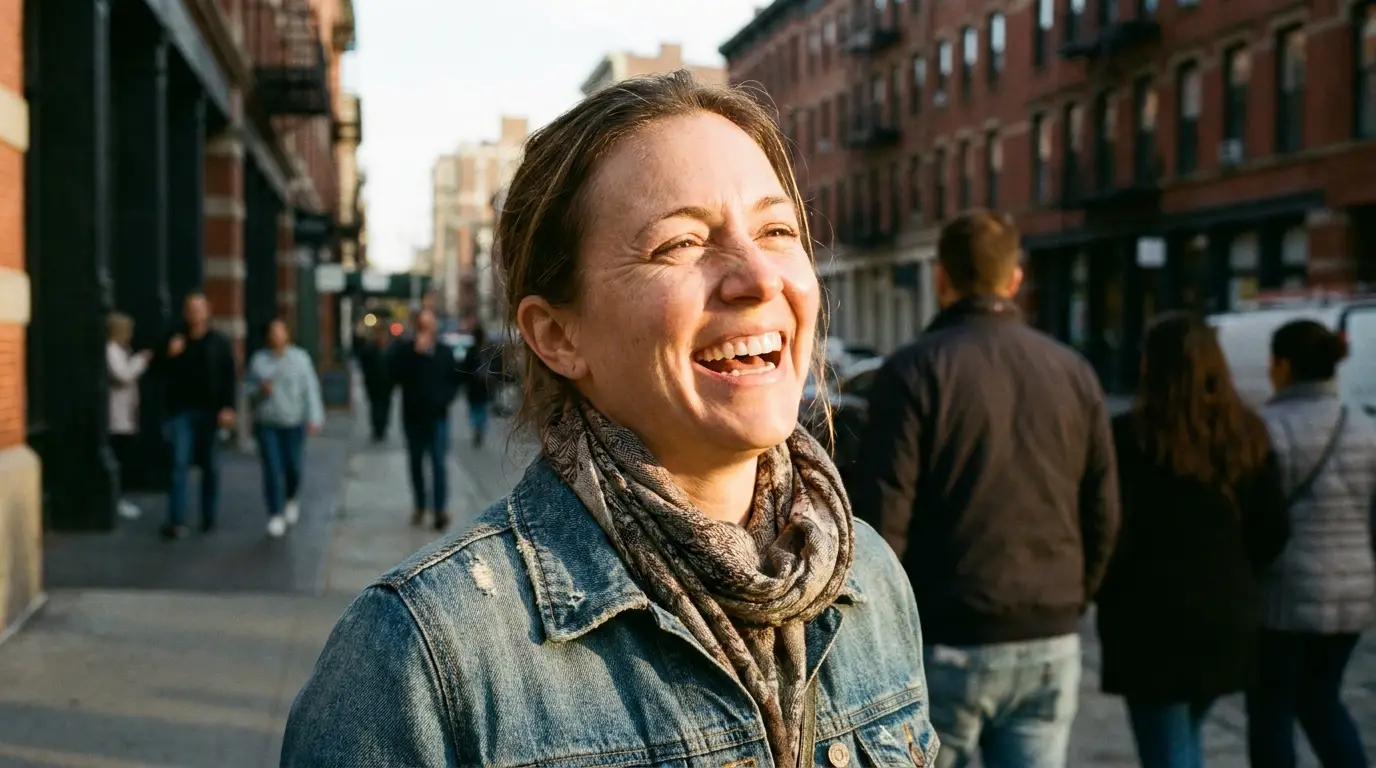
How to prompt for photorealism
Realistic photos come from prompts structured like a photographer's shot list: subject and action, then camera ('35mm lens, f/1.8, shallow depth of field'), then light ('overcast softbox sky', 'hard noon sun', 'tungsten interior'). Models trained on photography metadata treat these terms as real controls — an 85mm prompt genuinely compresses the background more than a 24mm one.
Add imperfection on purpose. Words like 'candid', 'natural skin texture', 'slight motion blur', and 'unposed' break the synthetic symmetry that makes AI images feel fake. If a result looks too clean, that vocabulary is the fix.
Choosing the right model
Seedream v4.5 is our default for photorealism — it holds skin texture, fabric weave, and believable shadows better than general-purpose models. FLUX Pro is the all-rounder when your scene mixes people with complex environments, and FLUX Schnell is the fast, cheap option for exploring compositions before you spend credits on a final render.
A practical workflow: draft five compositions on Schnell, pick one, then rerun the exact prompt on Seedream v4.5 for the finished frame.
What people make with it
Marketers generate location shoots that would otherwise need travel budgets; bloggers replace stock photos with images that match their article exactly; small brands produce seasonal campaign imagery in an afternoon. Because every image starts from text, you can regenerate the same concept in a new season, outfit, or city in one edit.