
Nidhogg
Log in

AI Headshot Generator

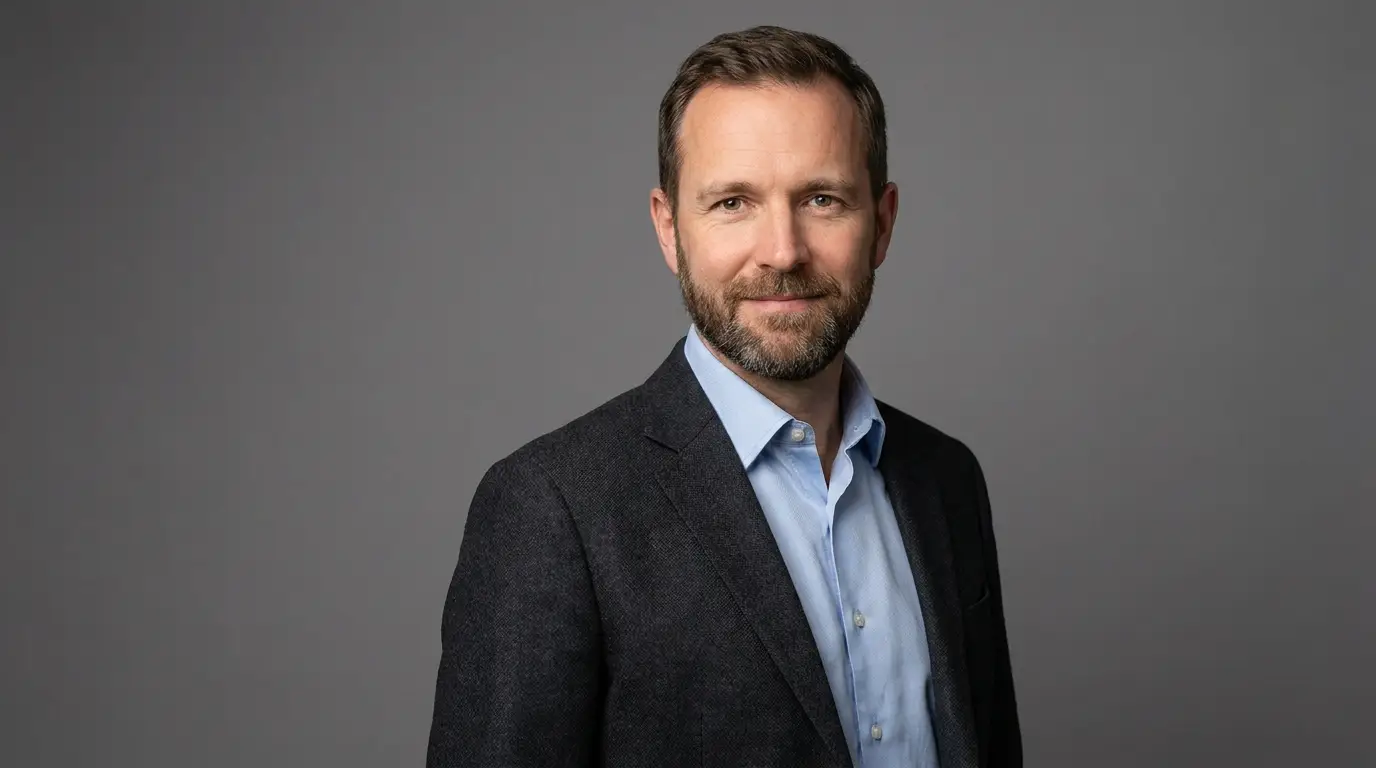
A professional headshot session runs $200–500 and a week of scheduling. Nidhogg's headshot generator produces studio-grade results in seconds using Z-Image, our portrait-specialist model — proper catchlights in the eyes, believable skin, and clean corporate backdrops.

What separates a headshot from a portrait is discipline: consistent framing, restrained wardrobe, neutral background, and flattering-but-honest light. The prompt patterns below encode those conventions so the output looks hired, not generated.

Generate your headshot
AI Headshot Generator

The corporate headshot formula

The reliable structure: '[PERSON DESCRIPTION], professional headshot, head-and-shoulders crop, charcoal blazer, soft grey seamless backdrop, studio softbox lighting, confident natural smile, sharp focus on eyes'. Every element earns its place — the crop matches LinkedIn's circle, the neutral wardrobe avoids dating the image, the grey backdrop works on any company site, and the softbox spec avoids harsh shadows.

Vary personality through expression and posture words ('warm smile', 'composed, direct gaze') rather than wardrobe or setting, and the results stay professional.

Consistency across a whole team

Team pages fall apart when each headshot has different light and background. Fix the style half of your prompt — backdrop, lighting, crop, color grade — as a shared template, and change only the person description per teammate. Apply the STUDIO SOFTBOX preset on every run for extra insurance. The result reads like one photographer shot everyone on the same day.

Beyond LinkedIn

Speaker bios, press kits, book jackets, conference badges, email signatures, and internal directories all consume headshots. Generate one master look, then rerun with 'environmental office background, shallow depth of field' for a softer variant used in editorial contexts.

FAQ

Can I make a headshot that looks like me?+

Describe your features precisely (hair, glasses, skin tone, build) for a stylized likeness, or upload a reference photo and use Nidhogg's editing tools to restyle it with studio lighting and a clean backdrop.

What background works best for LinkedIn?+

Soft grey or muted blue seamless backdrops test best — they read professional in both light and dark UI themes and don't clash with profile accents.

How do we keep team headshots consistent?+

Reuse one fixed style template (backdrop, lighting, crop) and only swap the person description. Nidhogg renders the shared elements consistently across runs.

Ready to try it?

Free credits on signup — no card required.

Generate your headshot

Related